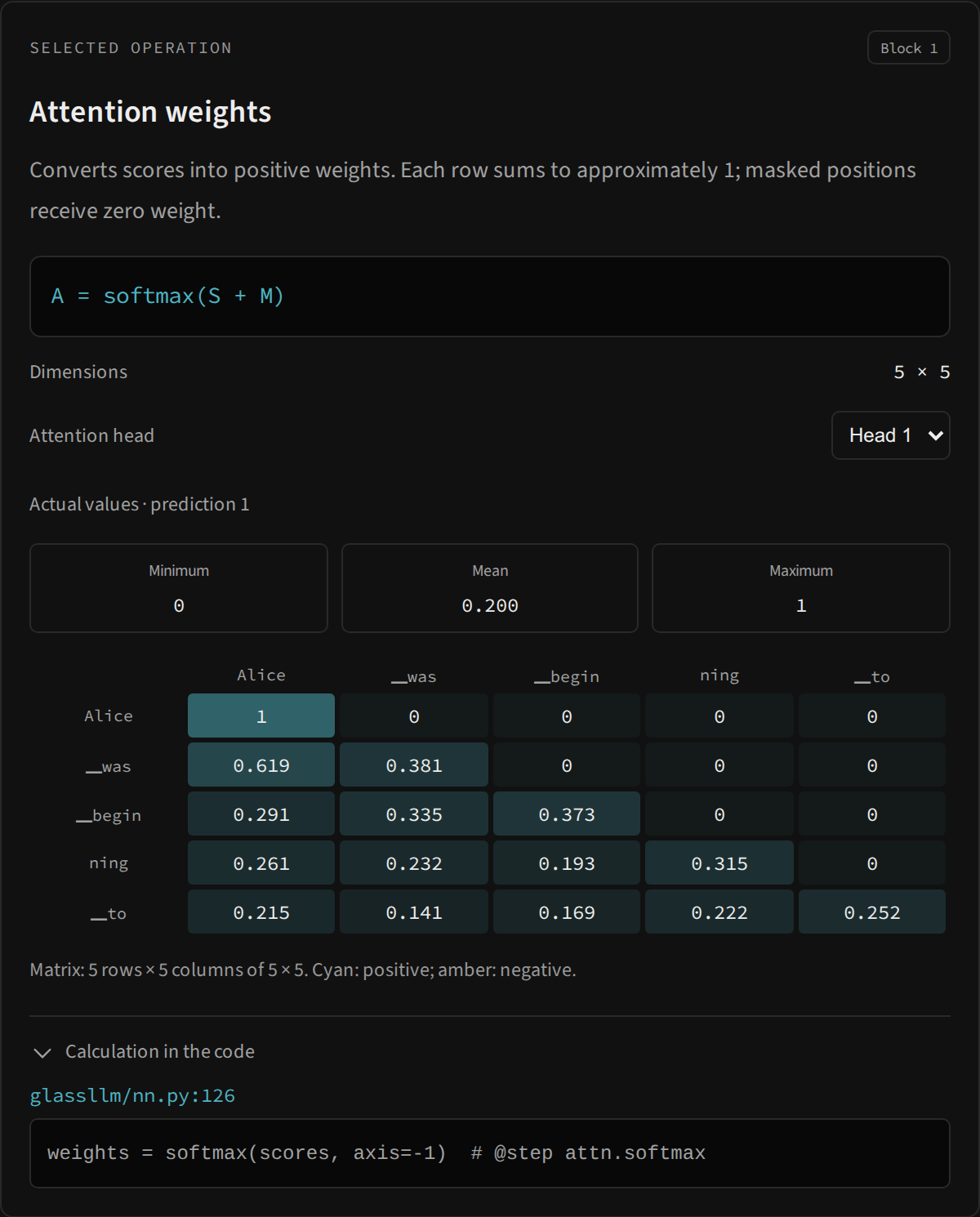
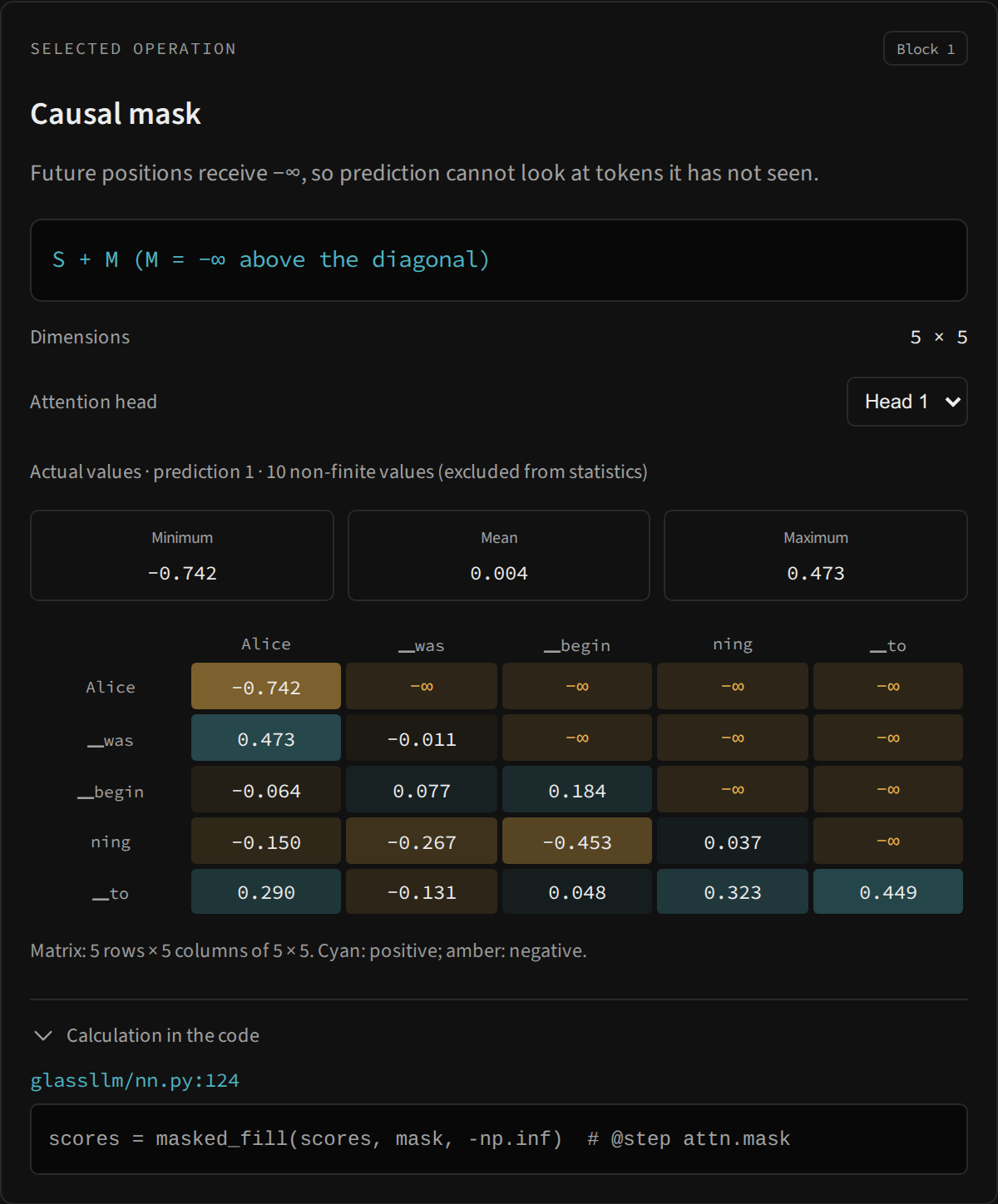
Select an actual result
Generate a token and click an architecture operation. The inspector combines title, block, explanation, equation, dimensions, statistics, a numerical grid and Calculation in the code. Values are copies recorded by the Tracer for that prediction, not a new execution triggered by the click.
Before the first prediction, the map offers descriptions and symbolic dimensions. Afterwards, recorded operations display actual shapes. Selection pauses generation and playback, so you read values from one prediction until choosing to advance.
Choose a block and head
The diagram presents Block 1–4; the Python API uses layer=0–3. The selector presents Head 1–4 but sends indices 0–3. K, V and K’s RoPE have two heads, so the selector offers only Head 1–2. Q, scores, mask, softmax and mixing use four heads.
Selecting another head uses the same trace. It does not recalculate weights, change the head used by the compact attention panel or alter the model’s next choice. Operations with no head axis, such as embedding, output projection and FFN, hide the selector.
Interpret dimensions
Tracing removes the batch axis of size 1. An embedding therefore appears as n × 128, while a Python forward returns logits of shape 1 × n × 1024. Selecting a head also removes that axis from the selected view: attention weights appear as n × m.
For the first prediction, n is usually the prefix’s token count. With cache, a later prediction may have n = 1 and more context columns. A different shape across predictions does not imply an architecture change. Also consider the window rebuild described in GQA and cache.
The grid is a sample; statistics describe the tensor
To keep the interface lightweight, the worker reshapes the selected tensor into a matrix and displays up to the last eight rows and last eight columns. When there are several dimensions before the last, they are flattened into rows. The caption reports the full size and the sample’s offsets.
Minimum, mean and maximum are computed over all finite elements of the selected tensor, not only the visible grid. The reported maximum may therefore lie outside the sample. Selected heads have their own statistics.
For scores, mask and softmax, columns are context tokens. For logits and probabilities, the axis is the vocabulary. These output grids show the last IDs, not the most likely candidates; use Next possibilities for those. Rows and feature dimensions may be labeled with numerical indices.
Displayed values are rounded and may use scientific notation. The library retains the NumPy value; presentation formatting does not change the tensor.
Non-finite values and the causal mask
−∞ in the mask is expected: it blocks future positions. After softmax, those positions receive zero. The worker serializes −∞, +∞ and NaN as labels, retaining their meaning in JSON transport.
Non-finite elements are counted and excluded from statistics. If no element is finite, statistics appear as —. A sample with no −∞ can be valid, especially for a single new query: every available key is then a permitted position.
Connect the equation to the source line
Calculation in the code shows the file, line and expression marked by # @step. The marker index comes from the packaged source. The line helps locate the implementation, but does not show the whole function or all validations: open the corresponding module to read the context.
A catalog ID such as attn.softmax identifies the same operation across blocks. Tracer.get("attn.softmax", layer=0, head=1) selects the second head of the first block in Python. Tracing uses copied snapshots, so a later operation does not modify a recorded value.
Structural nodes and history
Context, K/V cache, GQA expansion and shared E weights explain model structure but do not have a separate trace event for every action. Selecting these nodes reports Model structure · symbolic dimensions.
The worker retains only the most recent trace. There is no selector for retrieving an older prediction after generating another. Inspector screenshots expand the matrix area to show the complete component; during normal use, scroll inside the panel when necessary. Use slow motion to keep a result stable while walking through the sequence.