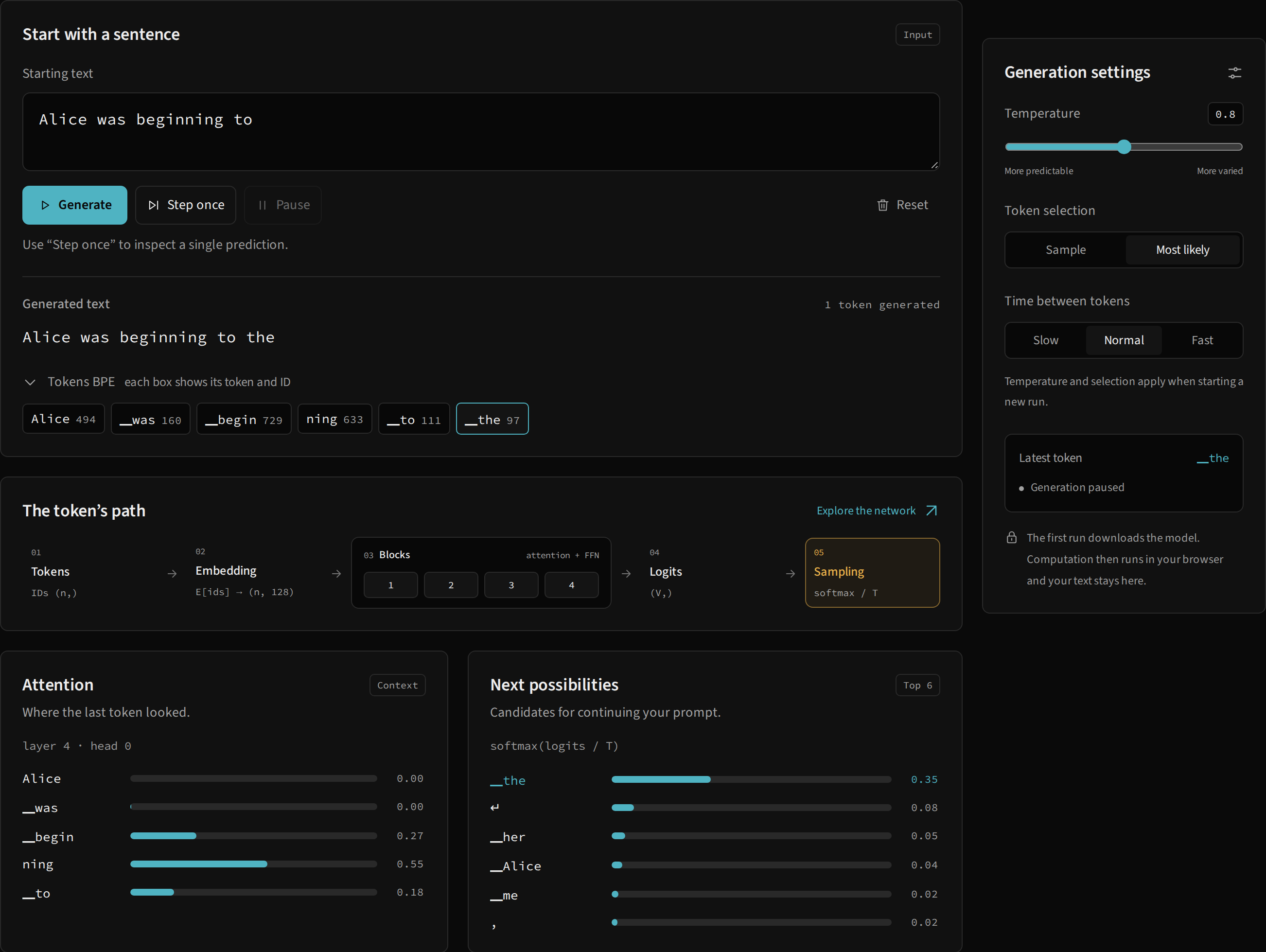
Three parts of the application
Astro generates the site. Its components define the editor, controls, architecture and documentation; TypeScript coordinates actions and updates browser elements. The model runs in a separate Web Worker, which loads Python through Pyodide and installs the local glassllm wheel. Inside that environment, calculations use the library’s NumPy implementation.
editor and controls
        ↓ messages with requestId
Web Worker → Pyodide → glassllm → NumPy
        ↓ token, six candidates, tensor summaries
generated text + diagram + inspector
This keeps model execution off the thread that draws the interface. The lab uses load_pretrained, Tokenizer.encode, GlassLM.generate and Tracer.get; attention and autograd are not reimplemented in JavaScript. The Python API also works without the site.
Loading and files
site/scripts/prepare-wheel.mjs runs uv build --wheel, copies the wheel to development assets and public/py/, and generates its canonical filename. On the first generation action, the worker loads Pyodide 0.29.3, micropip and NumPy, installs the wheel and selects PT or EN weights. Runtime download requires a network connection. Once the model is loaded, inference uses browser files and memory without sending the prompt to a generation API.
During development, Vite serves the wheel from src/generated/. The static build serves /glassllm/py/glassllm-0.1.0-py3-none-any.whl. Its filename must preserve the fields required by the wheel format; a path ending in just glassllm cannot be installed by micropip. The generated wheel-asset.ts module supplies the filename to the client; no remote manifest or PyPI lookup locates glassllm.
The worker shares an initialization promise to prevent simultaneous initializations. A failure allows a subsequent attempt, and a runtime already loaded can be reused. States and errors covers download and installation diagnostics.
Message protocol
Every request contains requestId, action and the action’s arguments. The identifier connects a response to its pending interface promise. It is distinct from id, which identifies a mathematical step such as attn.q.
| Action | Main input | Response and effect |
|---|---|---|
load |
wheelURL, lang |
Loads the model; returns configuration, vocabulary and parameter count |
tokenize |
text |
Returns token IDs and representations |
start |
text, temperature, sampling |
Creates a generator for up to 128 tokens and resets the run counter |
next |
Existing generator | Returns the token, six candidates with probabilities, summary attention and trace summaries; done when the generator ends |
inspect |
step, layer, head |
Returns a sample and source for an operation from the latest prediction |
stop |
No model arguments | Discards the current generator |
On next, the worker stores the context from before the new token was selected. Matrix axes can therefore show the tokens actually involved in the calculation. It also extracts the six most likely candidates and last-position attention from the last layer’s first head for the summary panels.
The full GenStep.probs vector stays in the worker and is available as the probs snapshot; next does not transmit the entire vector. tokenize and stop are available bridge actions, but current buttons do not call them directly. Pause stops the client loop and playback while preserving the generator. Reset resets the client presentation and run; the next start replaces the generator in the worker.
Snapshots and inspection
generate(trace=True) creates a Tracer for each prediction. Four default blocks produce 72 records; embedding, final normalization, logits, probabilities and selection bring the count to 77. The worker sends summaries with shape, equation, preview values, statistics and file/line reference. Complete arrays for the latest prediction remain in the worker.
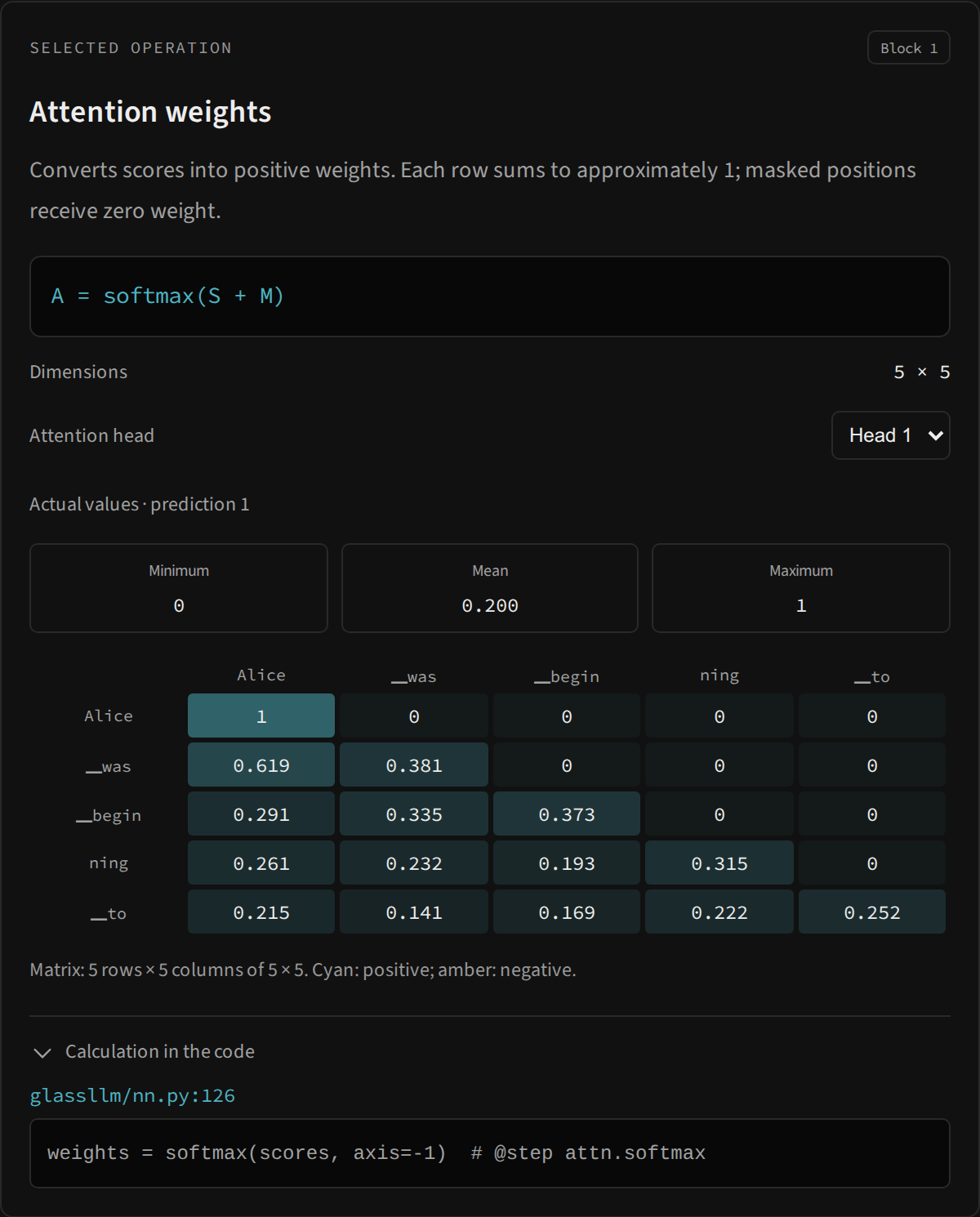
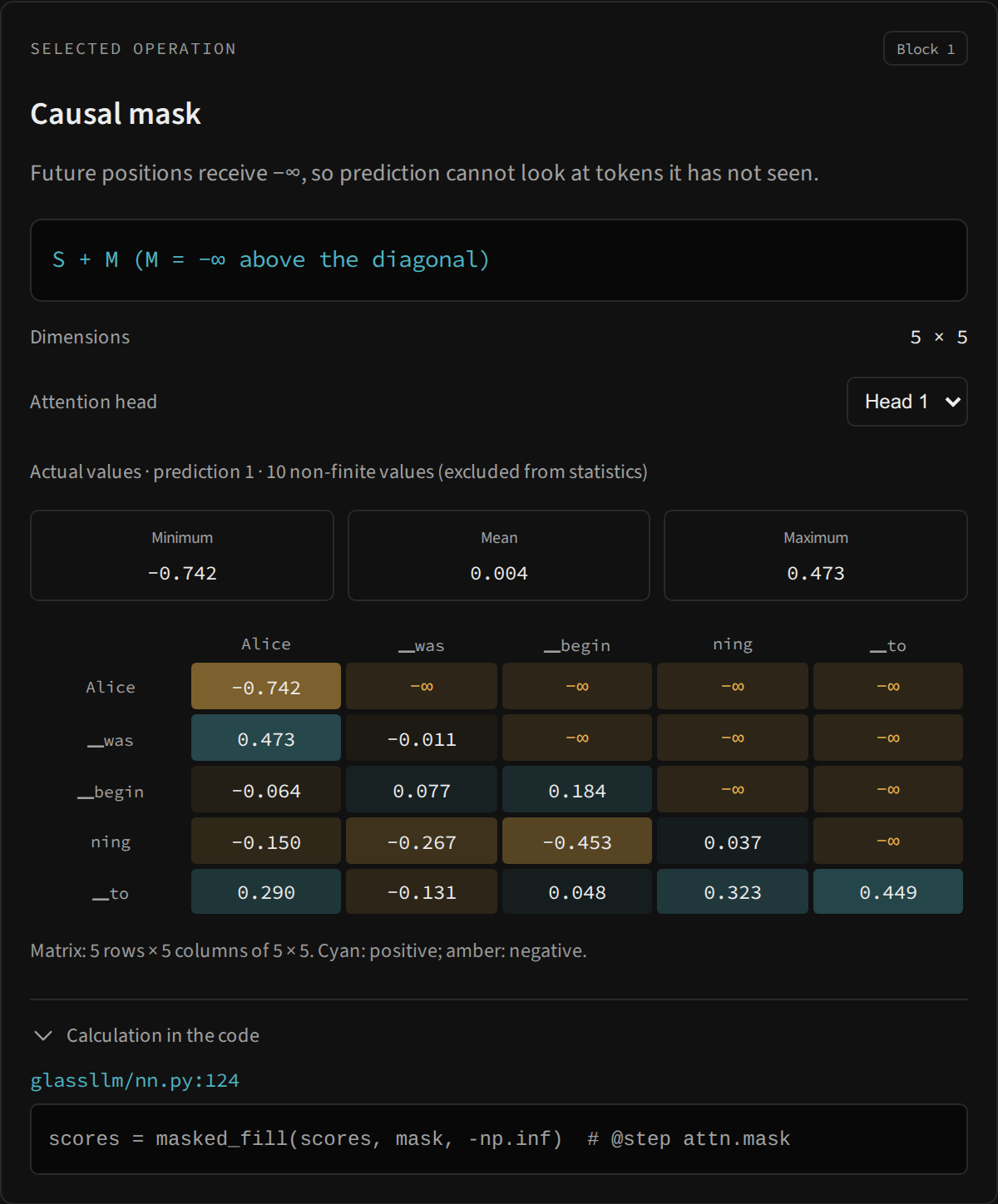
inspect selects the layer and head, converts the operation into a display matrix and returns its last available eight rows and eight columns. Statistics include all finite values of the selected tensor, rather than just that sample. Non-finite values such as −∞ travel as strings so JSON remains valid; their count accompanies the response.
step_index.json maps # @step markers to packaged source. The inspector’s code line is read from the Python file installed in the worker. Structural nodes such as head sharing may have no snapshot of their own; the interface identifies that condition instead of inventing values.
Replay, cancellation and memory
Slow motion walks through records already computed. Its reading delay does not pause NumPy multiplications. The interface can stop replay and request a different inspection; selection and prediction versions prevent a late response from overwriting the current selection. Resuming generation finishes the current prediction’s path before requesting another next.
Only the latest prediction’s trace remains in the worker. Generated text remains in the interface, but previous tensors cannot be inspected after a new prediction replaces _last_trace. Pause generation before advancing when studying an operation. Snapshots are copies, so tracing uses more memory than inference alone. The library supports trace=False when inspection is unnecessary.
The cache stores two arrays per block, K and V, each shaped B × H_KV × m × d_k. When both use the same itemsize, their numerical storage is 2 × L × B × H_KV × m × d_k × itemsize bytes. With defaults, batch 1, a full window and float64 arrays, this is 524,288 bytes (512 KiB); float32 would use 256 KiB. Check cache.k.dtype, cache.v.dtype and nbytes: float32 model weights do not guarantee a float32 cache. This calculation excludes snapshots, temporary copies, Python objects, the runtime and temporary GQA head expansion.
Following the implementation
site/src/scripts/free-lab.ts manages requests and generation; network-view.ts controls selection and replay; model.worker.ts bridges to Python. Start with the first experiment and continue to Tracer and steps.