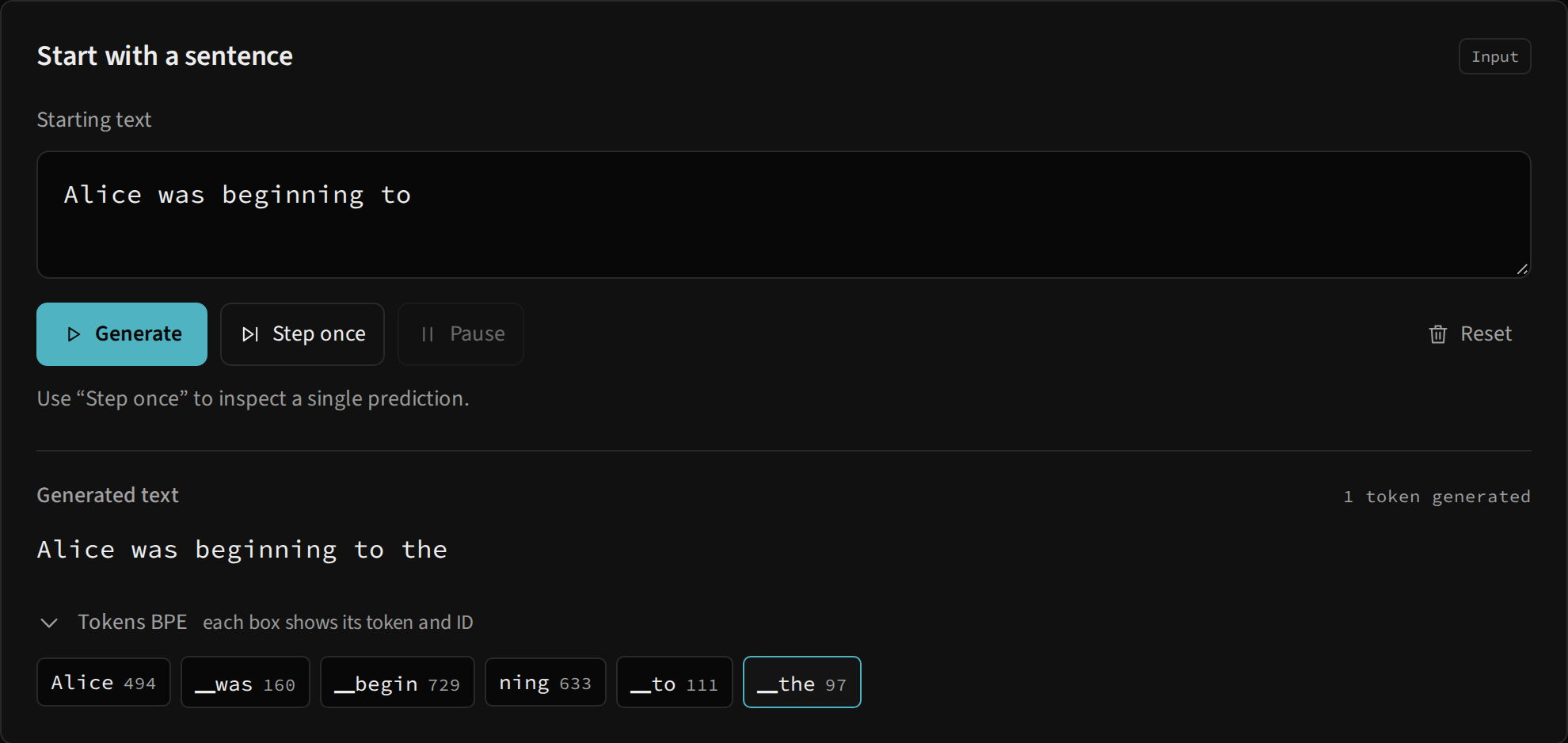
From the starting text to a continuation
The Starting text field accepts up to 600 characters. The tokenizer turns the prompt into IDs from the language’s vocabulary. This character limit differs from the model’s window: generation uses the last 128 input tokens when a prefix exceeds the context.
When a run starts, Generated text receives the written prefix. Each prediction appends the decoded selected ID, and the counter tracks generated tokens only, excluding prefix tokens. A BPE token may be a letter, a word fragment, a word with a leading space or punctuation; it does not necessarily correspond to a whole word.
What each button does
| Control | Behavior |
|---|---|
| Generate | Creates a run when none is active; otherwise resumes the existing generator. Continues until paused or until 128 new tokens have been produced. |
| Step once | Produces a prediction and leaves the run paused. With slow motion and an unfinished flow, first completes pending playback of the same prediction. |
| Pause | Stops continuity and playback. Retains text, generator and the latest trace. A NumPy calculation already in progress can finish before the pause takes effect. |
| Reset | Clears the displayed run, IDs, candidates and selected values. Retains the prompt in the editor, settings and the loaded runtime. |
While an action is computing or replaying a flow, controls that could start another action are disabled. Pause remains available while generation or playback is active. Wait for the action to release Reset before restarting the experiment.
Editing does not restart the run
When paused, the editor becomes available again. However, the existing run retains IDs from the original prompt. Editing the field and pressing Generate continues that run; the generator does not retokenize the field on every click.
To test another prompt or selection configuration, use this sequence:
- Pause execution and wait until buttons respond again.
- Click Reset.
- Edit the prefix and choose settings.
- Click Step once or Generate to create a new run.
After 128 new tokens, the run ends. A subsequent click starts another run from the prompt in the editor, without automatically treating the previous output as a new prefix.
Read BPE boxes
Each box displays the vocabulary token and its ID. The ▁ marker represents a space: ▁the decodes to the. Line breaks appear as ↵ in the panel. The unknown marker <unk> decodes to ⁇; <pad>, <bos> and <eos> add no visible text when decoded.
The generator does not automatically stop on <eos>. The counter can therefore increase without a new character appearing in the output. This is behavior of the current engine, not a failure of the text panel.
At run creation, the panel lists the prefix’s tokens. After each prediction, it limits the display to the last 64 tokens to keep the area readable. This visual selection does not reduce the model’s 128-token window. Latest token shows the selected BPE form, while the output uses its decoded text.
What happens in the engine
GlassLM.generate creates a Python generator. On the first advancement it computes the prefix and fills each block’s K/V cache. Subsequent advancements usually compute only the new token, reusing earlier keys and values. When the window fills, it rebuilds the cache from the last 128 IDs.
Each advancement delivers a GenStep and a fresh trace. Attention, probability and architecture panels then describe that most recent advancement. To revisit the same prediction, use Replay flow; to compare selection across runs, see temperature and selection and tokens and BPE.